GDKPIndex is a lightweight Classic Era addon. Hover any raid item — or click an item link in chat — and you'll see the same normal price range from this site appended to the tooltip.
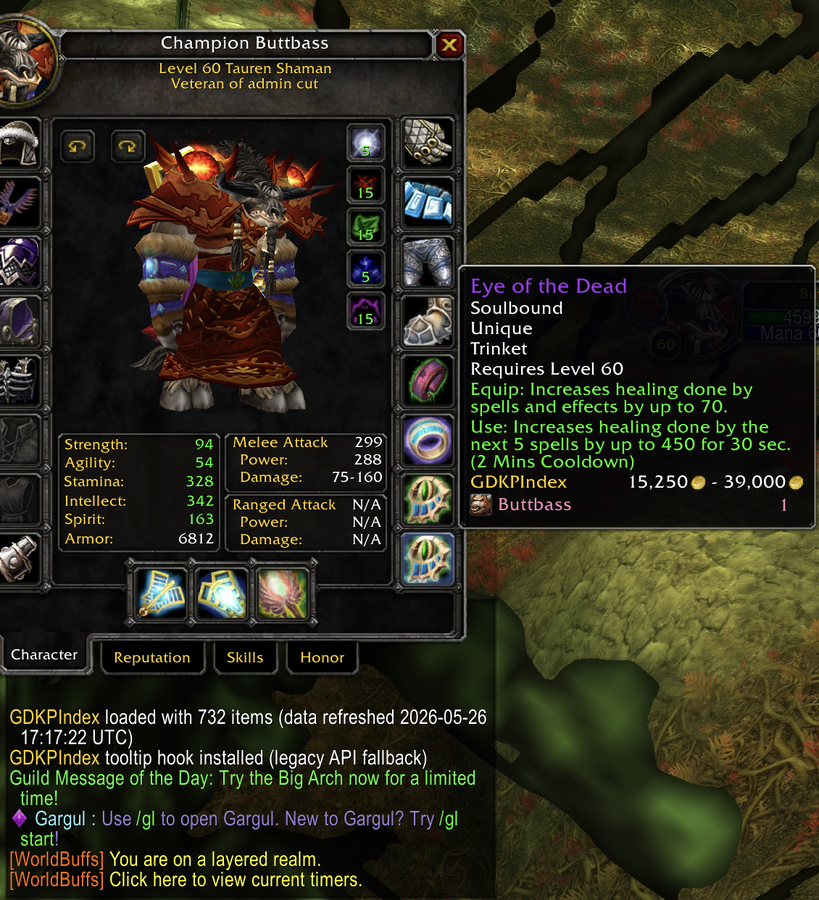
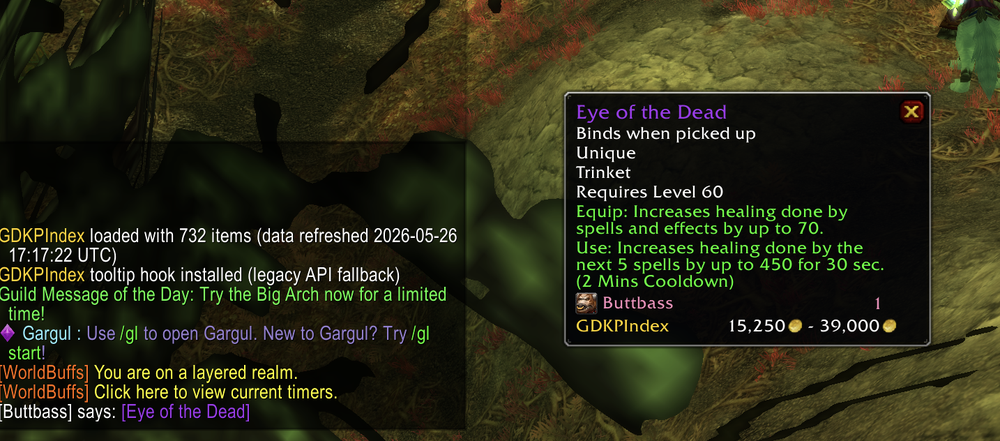
The easiest way to install and keep GDKPIndex up to date is through the CurseForge app — it handles installs, updates, and uninstalls for you.
Download and Manage with CurseForge Auto-updates via the CurseForge appPrefer to skip CurseForge? You can grab the zip directly and drop it into your AddOns folder yourself.
Download GDKPIndex.zip Data refreshed 2026-09-29 19:10:20 UTCGDKPIndex.zip using the button above.GDKPIndex containing a .toc file and two .lua files.GDKPIndex folder into your WoW Classic Era AddOns directory:
C:\Program Files (x86)\World of Warcraft\_classic_era_\Interface\AddOns/Applications/World of Warcraft/_classic_era_/Interface/AddOnsGDKPIndex loaded with N items in chat.
To update later, re-download GDKPIndex.zip and replace the existing GDKPIndex
folder. The data refreshed date on the button above tells you how fresh the current build is.